Linux 2 - Intermediate Linux
Jaakko Leinonen, Juha Lento, Thomas Zwinger
2018-11-08
Software and revision control
Small intro to revision control with Git
Emphasis on concepts over details. Concretely, knowing concepts
- makes it easier to find the details
- helps to understand the error messages :)
What is revision control and what are Git and GitHub?
- source code with history, and much, much more
Let’s find out!
Why Git and Git repository servers?
- encourages to think “programming” as more organized software development
- provides safety net and a framework for collaborative software development
- integration to other services, such as GitHub Pages
- many options for remote repository hosting, GitHub*,
Bitbucket**, and
University’s GitLab server***
What was it like before revision control, Git and remote repositories?
Tarballs and directories with files in some state scattered in mailboxes
and in various machines and user accounts?
* https://github.com
** https://bitbucket.org
*** https://version.helsinki.fi
What to put into a source repository?
Source code, of course!
- basically anything that someone has typed
- Commit new features, bug fixes, etc, instead of modifications in single
files
What not to put into source code repository?
- binary data: jpgs, data sets, executables, pdfs, PowerPoint slides
- automatically generated text, program output
This keeps the repository small and quick to work with.
Local Git repository
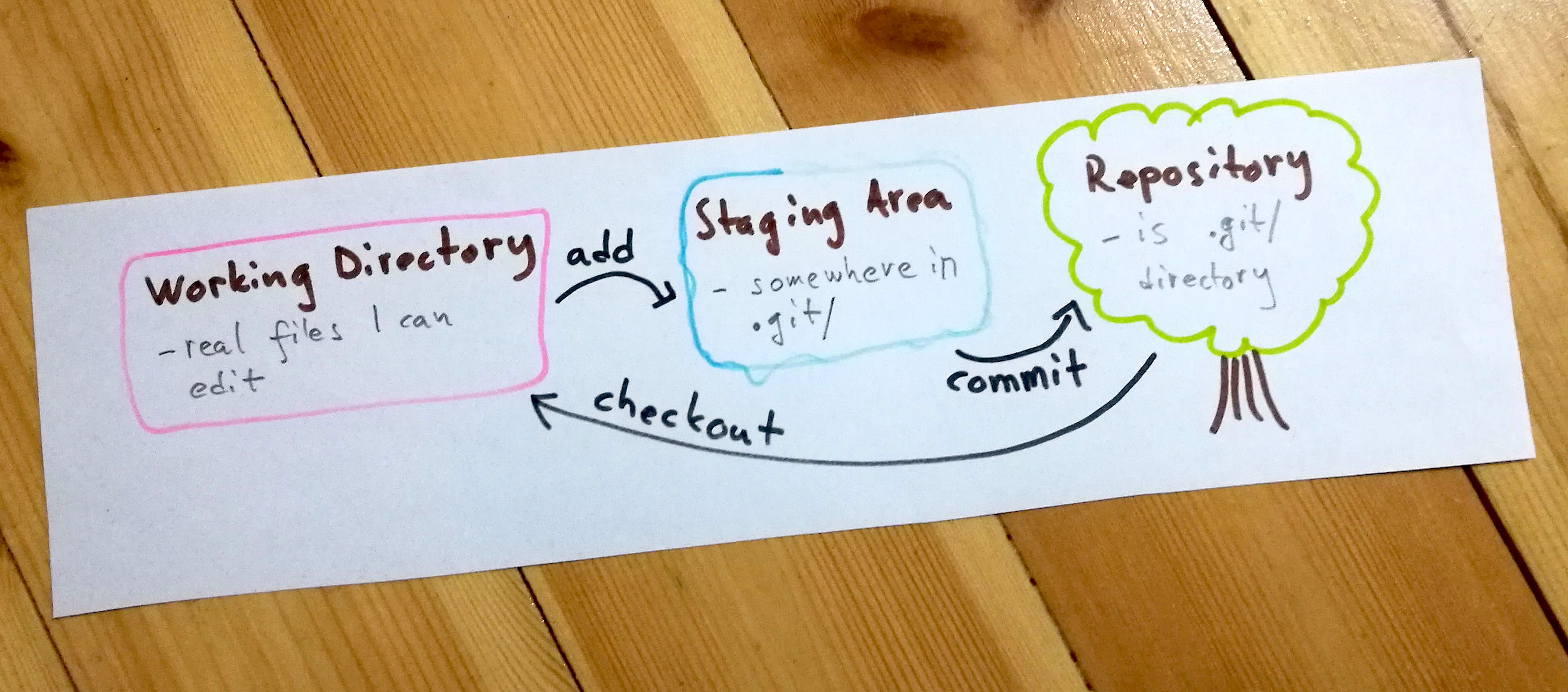
The most important concepts are described in
Git Basics*,
especially the last section, “The Three Stages.”
What git command
- moves (adds) files from Working Directory to Staging Area?
- moves (commits) files from Staging Area to Repository?
- moves (checkouts) files from Repository to Working Directory?
Draw a picture!
A bonus exercise: commands that move files to opposite directions?
* https://git-scm.com/book/en/v2/Getting-Started-Git-Basics
The Three Stages
Remote Git repository
Let’s just dive into it!
- create GitHub account
- fork this upstream repository
- clone your forked remote repository into a local one
https://help.github.com
Config and Branches
Some first things to try:
- tell (set/config) git your name and email address
- list all branches
Some pointers:
There’s plenty more good docs in the internet. Collect you own set!
Wrapping up
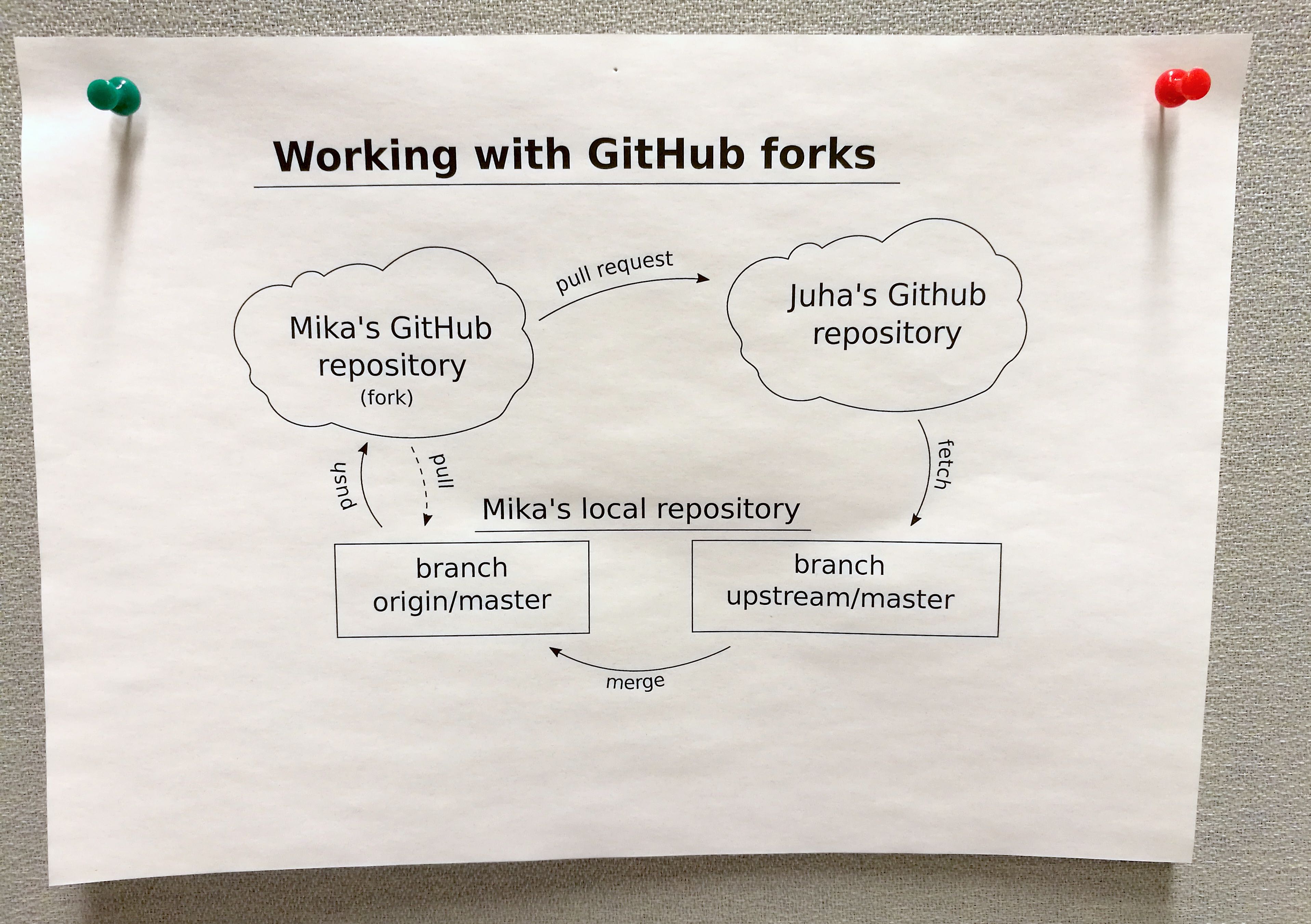
Find the commands that do the following tasks, and *draw a picture * (you can work together!):
- how to push your changes in the local repo to your forked repo
- how to fetch changes in the upstream repo to a branch in your local repo
- how to merge upstream branch into your master branch
Drawing the picture is most important. If you actually can do this now, you are
pretty skilled in using git!
Merry-go-round
Where next
- NeIC Coderefinery has an extensive Git course*,
lectures** at Aalto University 11.12.2018.
- practice, experiment, explore, find your own way!
Test: What is the difference between pull and fetch?
* https://coderefinery.github.io/git-intro
** https://coderefinery.org/workshops/2018-12-11-espoo